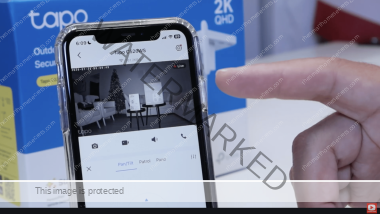
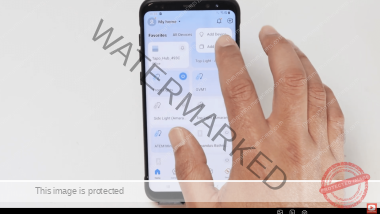
If you’ve just looked at your Tapo C615F security camera and noticed the LED indicator is rapidly flashing green, your first instinct might be to worry that something is wrong with the hardware or the connection.
The good news? A flashing green light on a Tapo C615F is usually a sign that the camera is working exactly as it should—it’s just busy! In this quick guide, we’ll explain exactly what that light means and what you should (and shouldn’t) do while it’s happening.
Here’s the video that shows what the Green LED flashing on a Tapo C615F means.
What Does the Flashing Green LED Mean?
When your Tapo C615F flashes its green LED rapidly, it indicates that the camera is currently updating its firmware.
Firmware updates are essential for your camera’s health. They provide:
- Security Patches: Keeping your footage and network safe.
- Bug Fixes: Improving the stability of the device.
- New Features: Adding functionality that wasn’t available when you first bought the camera.
In the Tapo app on your smartphone, you will likely see a progress bar or a notification stating that an update is in progress [00:12].
The Update Process: What to Expect
The light behavior will change during the update process. It is important not to panic if the colors shift:
- Rapid Green Flashing: The camera is downloading or preparing the update [00:00].
- Alternating Red and Green: As the update is written to the camera’s internal chip, the LED may alternate between flashing red and flashing green [00:35].
- Solid Green: Once the update is successfully completed, the LED will return to a steady, solid green light [00:51].
Important: Do Not Unplug Your Camera!
The most important thing to remember when you see the green light flashing is to wait.
Do not power off the camera or unplug it while the firmware is being written to the chip. Interrupting a firmware update can “brick” your device, making it unusable. The process usually only takes a few minutes, after which the camera will reboot and return to normal operation [01:28].
New Features After the Update
Updating your Tapo C615F often unlocks new capabilities. For example, recent updates have introduced features like 24/7 Capture, which allows for time-lapse recording and improved continuous monitoring [01:13].
After the light stays solid green, head into your Tapo App Settings to see if any new features have been added to your device.
Summary
If your Tapo C615F is flashing green, it’s not a problem—it’s an improvement! Just sit back, let the camera finish its update, and enjoy the latest security features and stability improvements.